
This article explains how to unlock an assessment in OneFile, including eligible user roles, step-by-step instructions, troubleshooting tips, and terminology notes.
Who Can Use This Feature?
This feature can be used by the following user roles:
- Centre Manager
- Internal Quality Assurer
- Assessor (if assessment not signed by Internal Quality Assurer)
How to Unlock an Assessment
Follow the steps below to unlock an assessment:
- Open the learner’s portfolio
- Click the Assessments icon in the Information & Options section
- Select Completed from the filter drop-down list
- Click the Title of the Assessment you want to unlock
- Click the Padlock icon
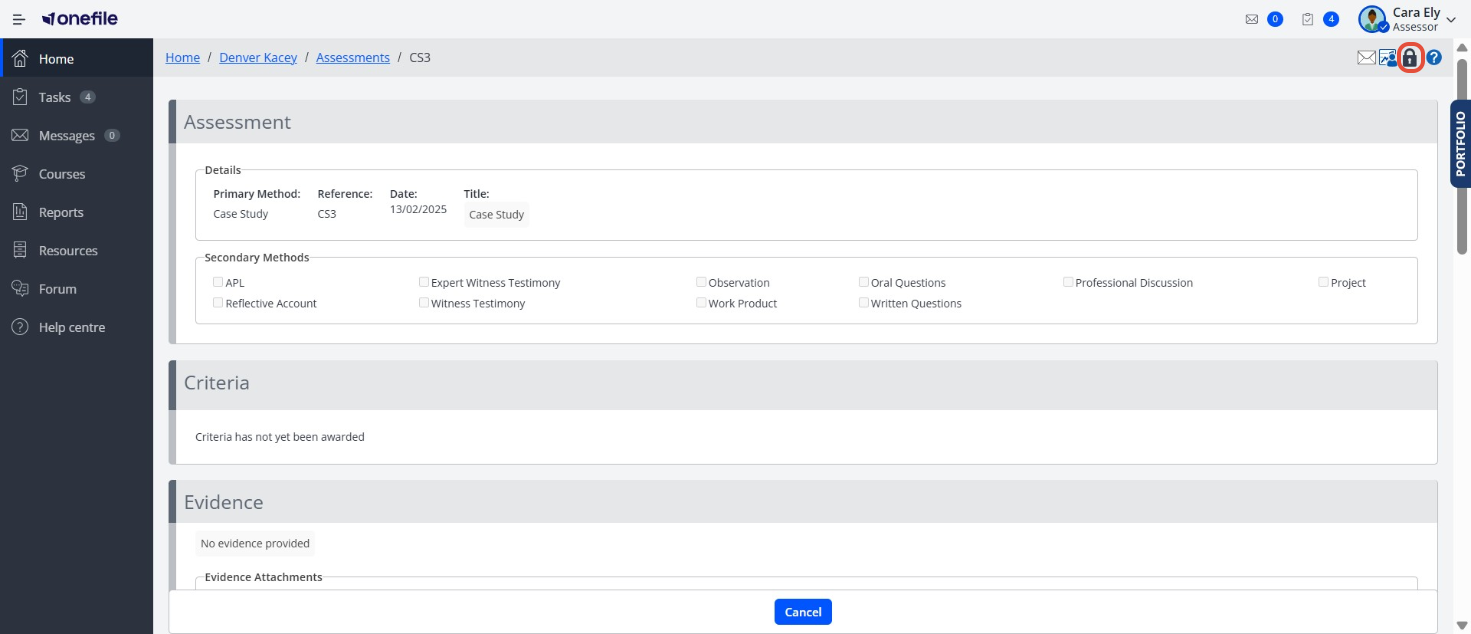
- Select the User who the Assessment should be unlocked to and enter a reason for unlocking
- Click Unlock
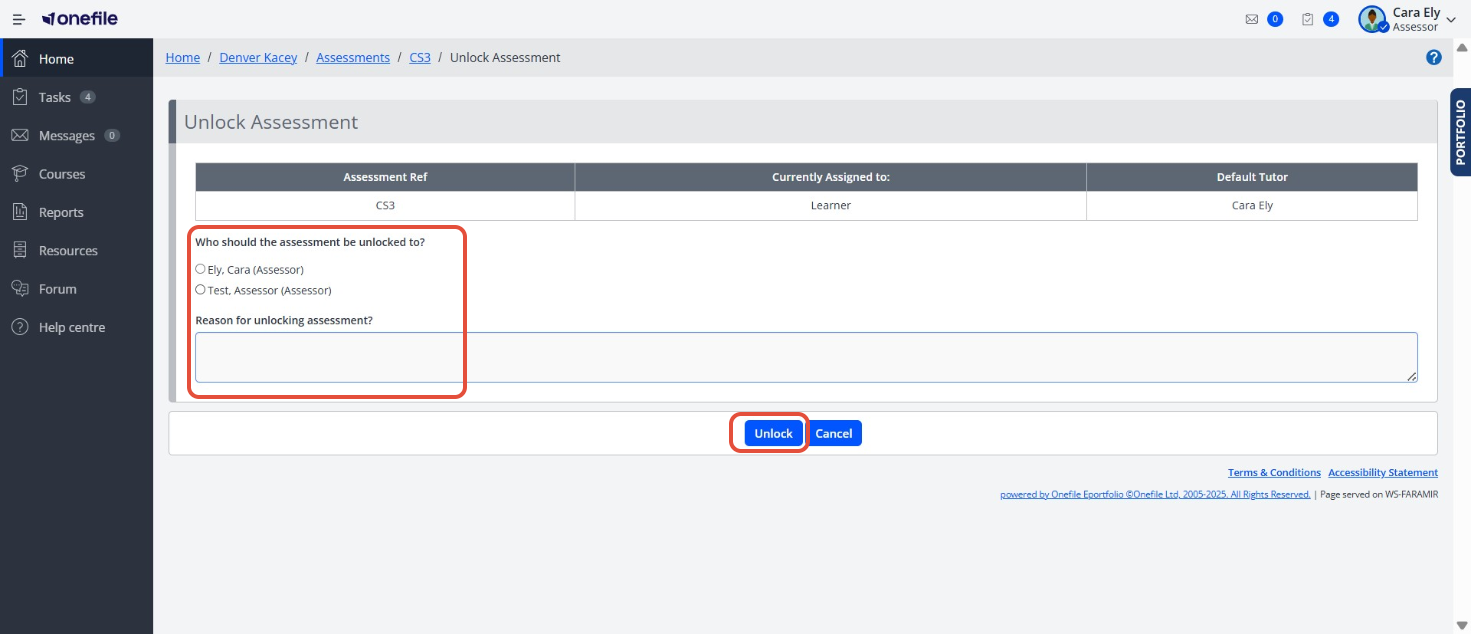
The selected user will receive a task explaining that the Assessment has been unlocked and they’ll now be able to edit or delete this Assessment.
ℹ️Important Notes
The selected user will receive a task explaining that the Assessment has been unlocked and they’ll now be able to edit or delete this Assessment.
Terminology
Please note that the terminology used in this article may be different depending on your Centre.
❓Need Help?
If you encounter any issues or have questions, please contact Onefile Support or your internal support channels.