
✨ Updated feature alert
This feature update is available from Thursday, 5th November 2026.
Overview
Admins can change a learner's Programme or Workflow, making it easier to keep learner data accurate when a learner's circumstances or route change. As part of the change, forms and eligible workflow steps the learner has already started can be copied across, so the learner doesn't have to repeat work.
What's Changed?
| Before | From 5 November 2026 |
|---|---|
| The Skills Forward / BKSB step and introduction steps could be copied. | RPL steps can also be copied. |
| — | Every step option starts unticked. You choose exactly which steps to copy. |
| Copied steps weren't recorded. | The learner's Activity Log shows that a step was copied, who copied it, when, and where it was copied from. |
User Roles
This feature can be used by:
- Admin
Steps to Change a Learner's Programme or Workflow
- Click Learners in the left-hand navigation menu.
- Click the three dots next to the learner you want to change.
- Select Edit.
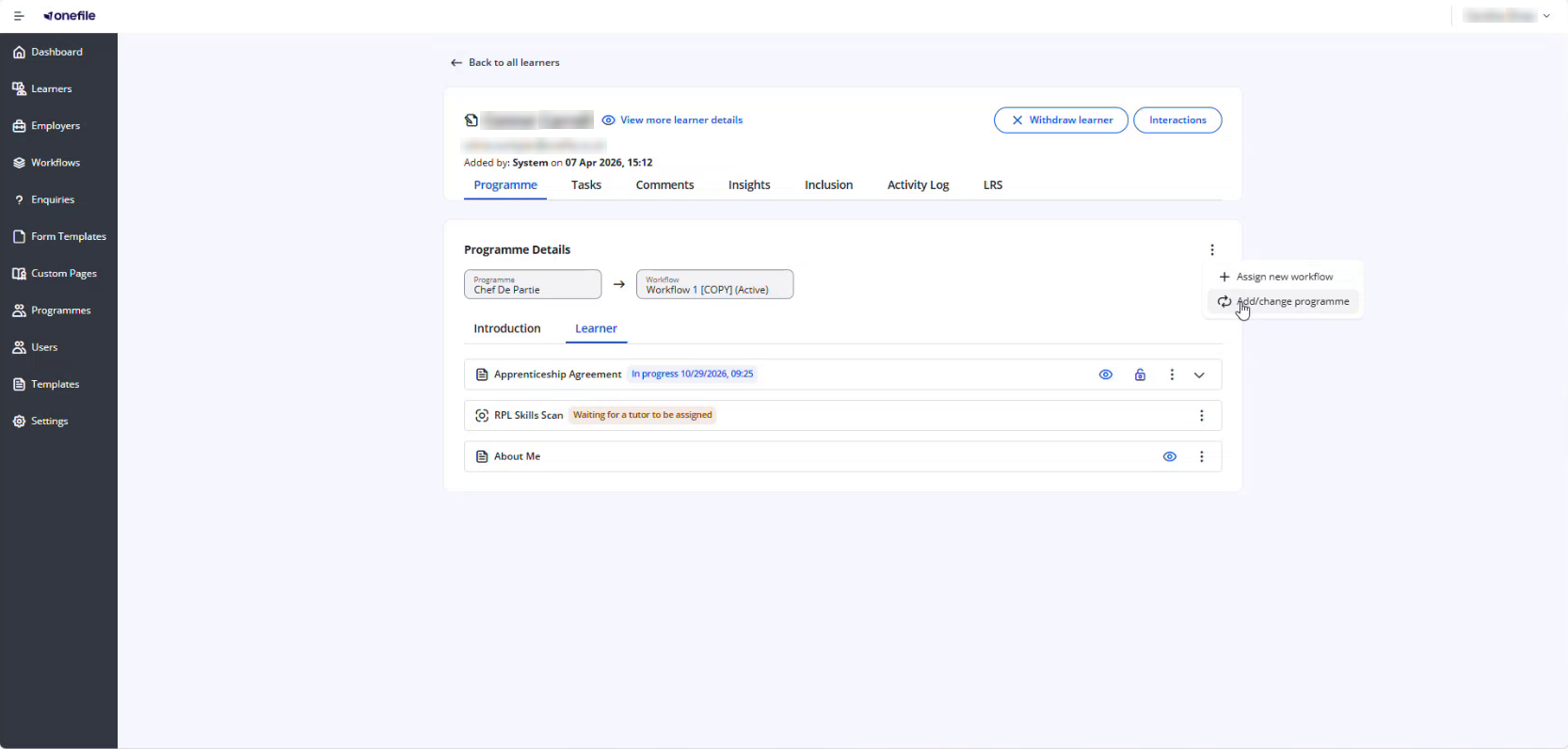
- Click the three dots on the right-hand side.
- Select whether you want to assign a new workflow, or add or change a programme.
- Choose the new workflow or programme from the list.
- Click Save and Exit.
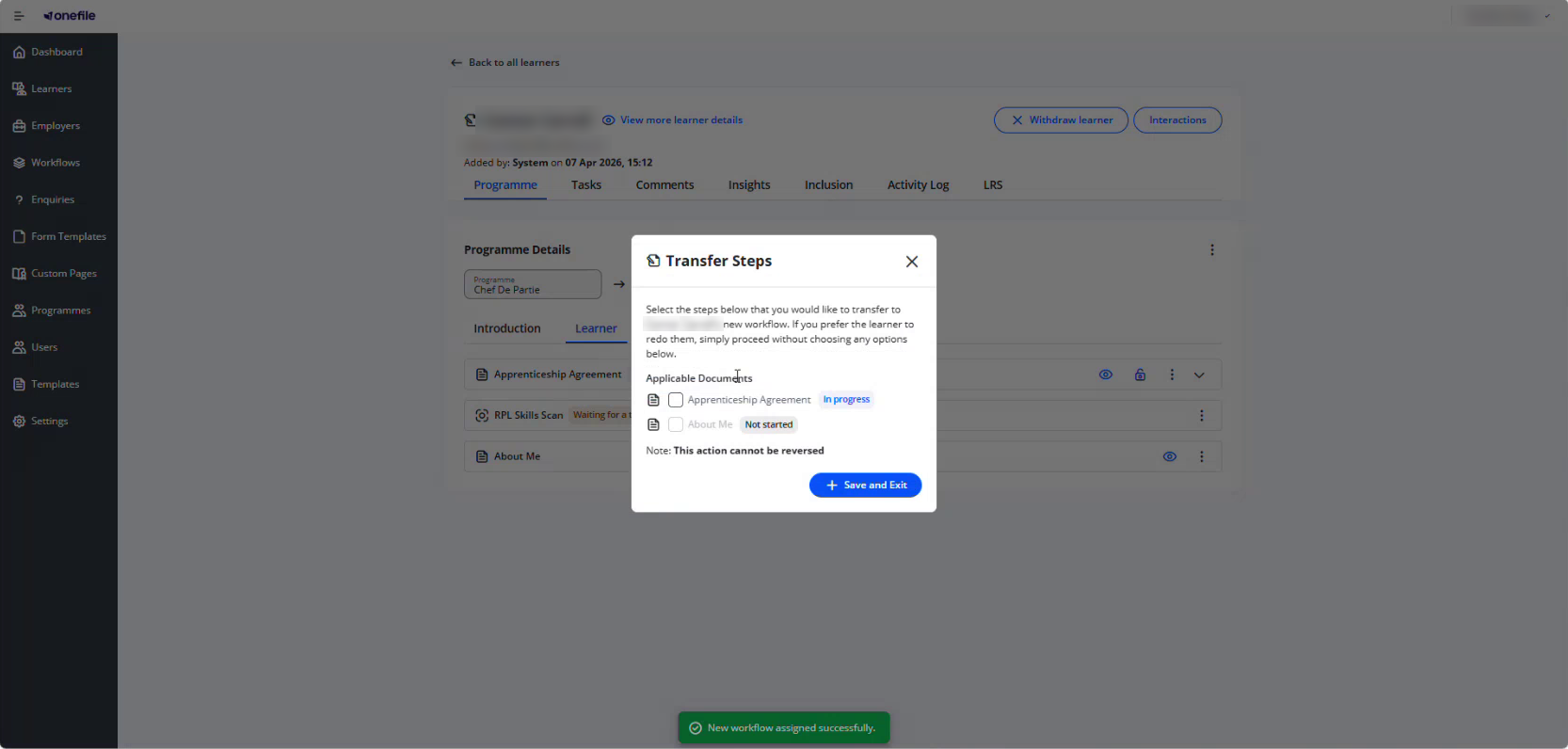
⚠️ Important: Transferring steps can't be reversed. Check your selection before clicking Save and Exit.
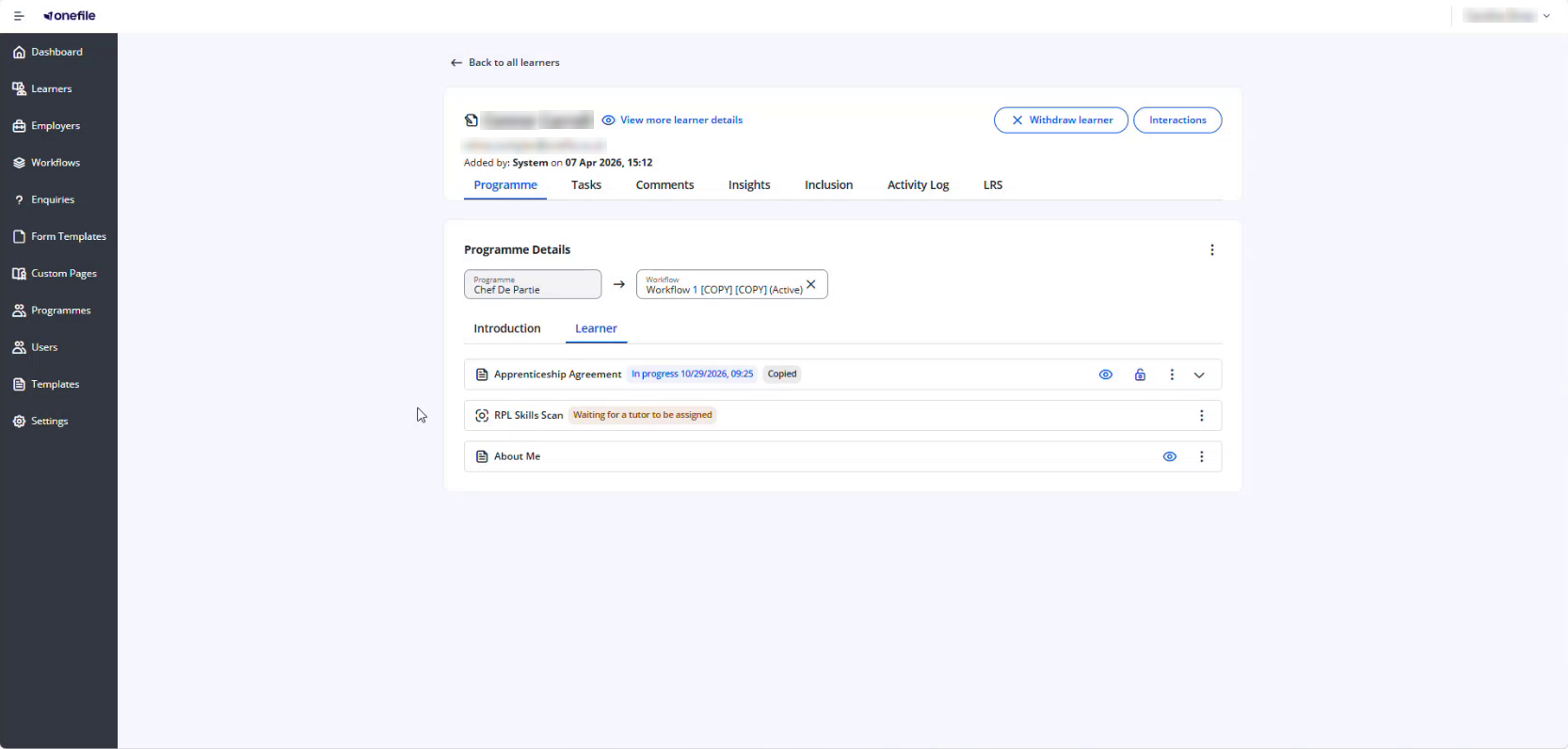
Steps that have been copied are labelled Copied on the learner's programme.
Which Steps Can Be Copied?
A step is only offered if the learner has started it (Completed or In progress) and there is a matching step on the new programme or workflow.
| Step | Can be copied? |
|---|---|
| Skills Forward / BKSB | Yes |
| RPL | Yes |
| Introduction steps | Yes, if the new programme has an introduction step with the same name |
When a step is copied, its status, dates, results, evidence and sign-offs are brought across. The original steps stay as they are on the previous programme, because steps are copied rather than moved.
What Happens to the Learner's RPL Application?
| If the RPL step is… | What happens |
|---|---|
| Copied | The learner's current RPL application carries on. |
| Not copied | The learner's open RPL application is replaced. The previous application's assessment history is kept. |
⚠️ Important: To let the learner continue their existing RPL application, tick the RPL step before confirming the change.
Tips & Notes
- Employer and learner forms can be copied automatically as part of a programme transfer or change of workflow. Forms are only copied when they are identical across both workflows. If the form requirements have changed, the new forms will need to be completed.
- If a step you expected isn't listed, either the learner hasn't started it, or the new programme or workflow doesn't have a matching step.
- To check what was copied, view the learner's Activity Log.
Terminology
The terminology used in this article may differ depending on your Centre's configuration.
Related Articles
- View a Learner's Activity Log in Enrol Onboarding
- How RPL Works with Enrol Onboarding
- Add steps into a workflow within Enrol Onboarding
- Withdraw a learner on Enrol Onboarding
Need Help?
If you need assistance, please contact Onefile Support or your internal support team.