
Overview
A transformation rule reshapes a source value before it's written to the target field — for example, converting a date format, mapping codes to Onefile values, or trimming spaces. You create a rule once and then apply it to fields in your mappings. A rule can be shared (available to all mappings) or kept private to the mapping that uses it.
User Roles
This feature can be used by:
- Centre Manager
Steps to Create a Transformation Rule
- Go to Data Bridge › Transformation Rules.
- Select Add transformation rule.
- Enter a Name for the rule.
- Tick Shared (available to all mappings) if you want the rule available everywhere; leave it unticked to keep it private.
- Choose a Transform type and complete its settings (see the table below).
- Select Save.
Transform Types
| Type | What it does | Settings |
|---|---|---|
| Trim | Removes surrounding spaces from the value. | None. |
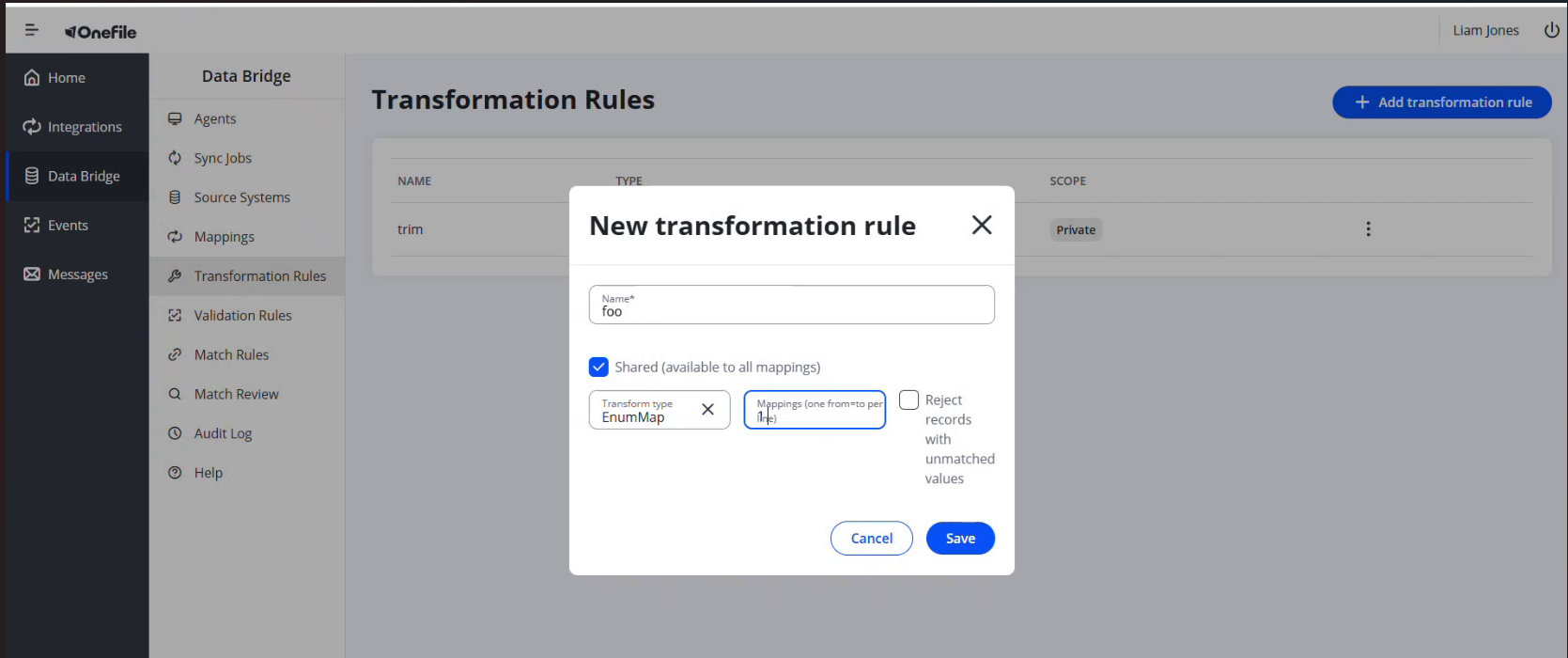
| EnumMap | Maps set source values to target values. | Mappings, one from→to per line. Optionally tick Reject records with unmatched values. |
| Lookup | Looks up a replacement value from a table. | A lookup table, one key=value per line. |
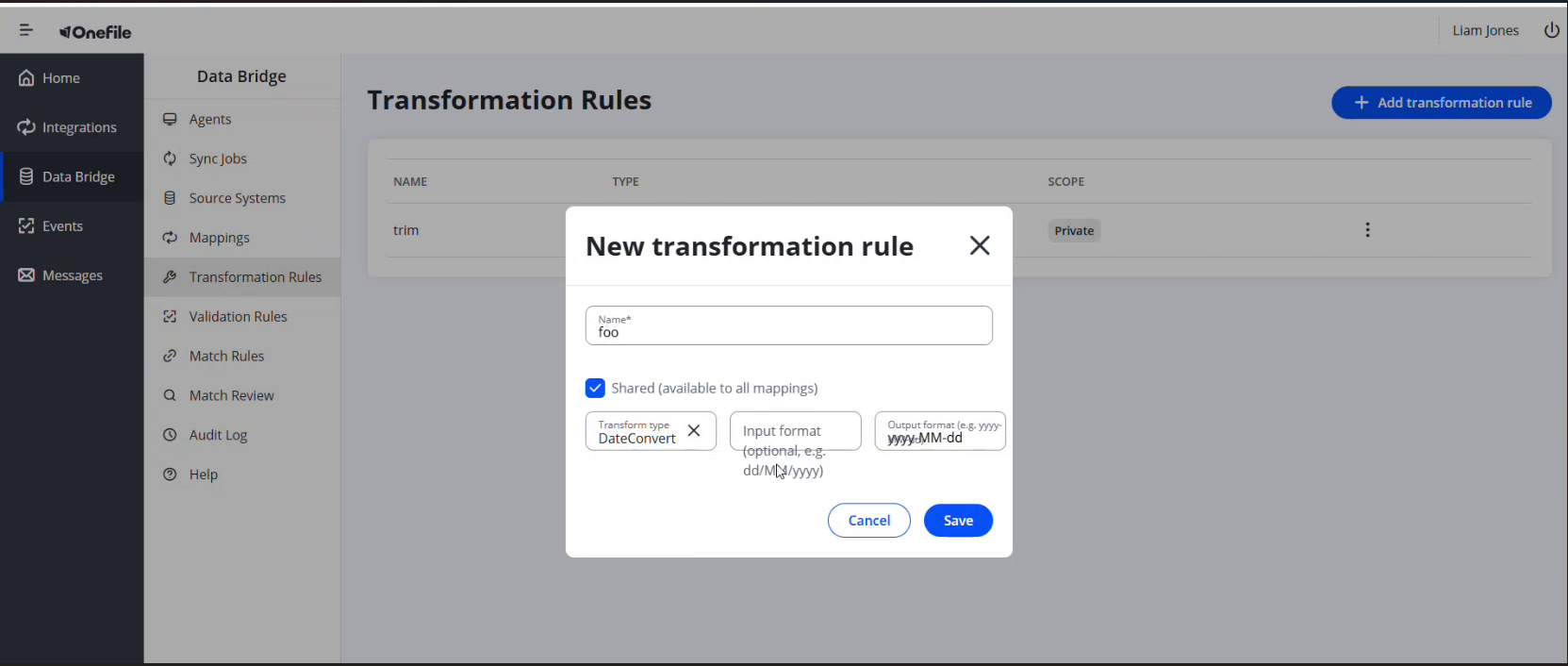
| DateConvert | Converts a date from one format to another. | Input format (optional, for example dd/MM/yyyy) and Output format (for example yyyy-MM-dd). |
Applying a Rule
Once saved, apply a rule to a field from the Transforms option on that field in a mapping. Transforms are applied in order to the source value before it's written to the target field.
Tips & Notes
- Use a DateConvert rule when a match on DOB is needed — matching requires dates in yyyy-MM-dd format.
- Shared rules appear with a Shared scope and can be reused across mappings; private rules show as Private.
- With EnumMap, tick "Reject records with unmatched values" if a value that isn't in your list should stop the record rather than pass through.
Terminology
The terminology used in this article may differ depending on your Centre's configuration.
Related Articles
- Creating a Field Mapping in Data Bridge
- Setting Up Match Rules and Reviewing Matches in Data Bridge
- What Is Data Bridge in Onefile?
Need Help?
If you need assistance, please contact Onefile Support or your internal support team.