
Overview
DataBridge is an Onefile integration feature that keeps learner data in Onefile in step with your own MIS (Management Information System) database. A small agent runs on a machine inside your network, reads from your MIS database, and sends records to Onefile, so you don't have to key the same learner information into both systems.
You configure DataBridge in the Onefile portal, under Integrations › Data Bridge, and run the agent on your own machine. The agent connects to Onefile over outbound HTTPS only, so you don't need to open any inbound ports on your network.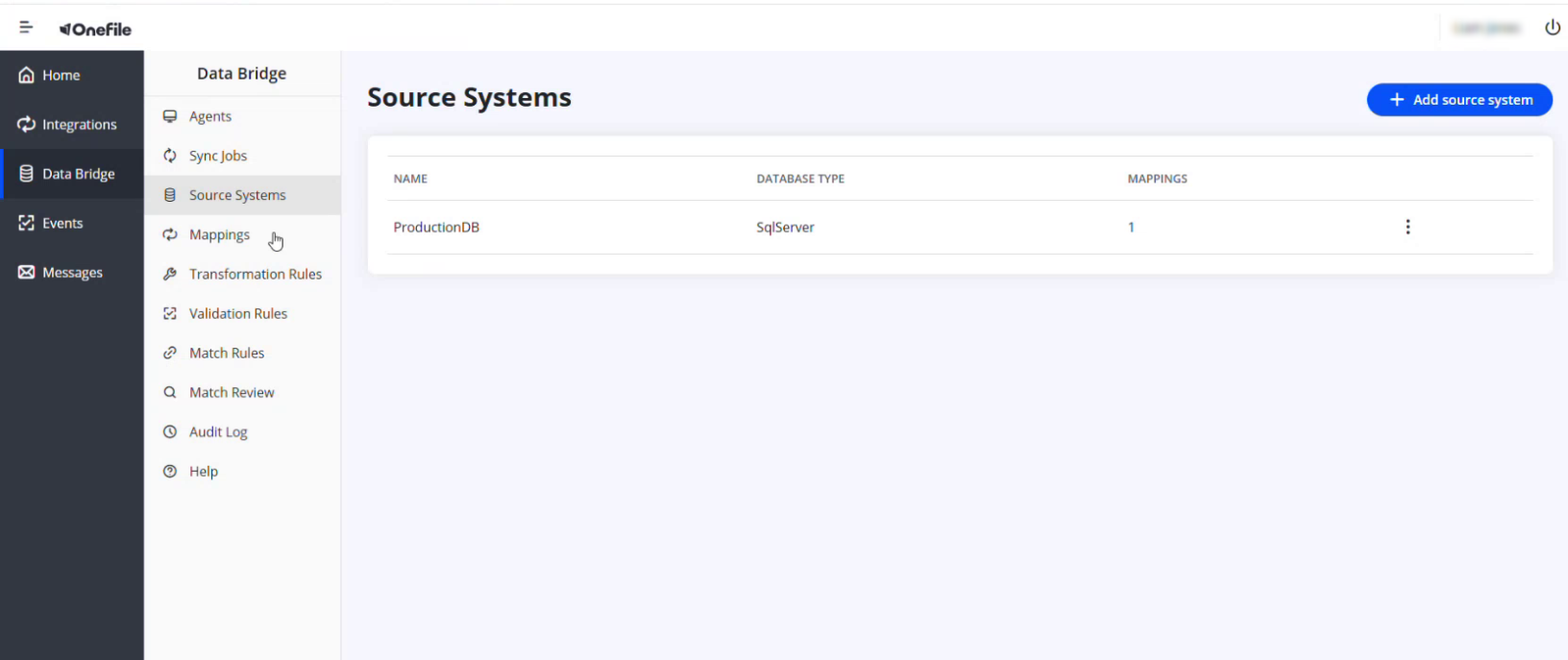
User Roles
This feature is typically set up by:
- System Administrator (with access to your MIS database and the Data Bridge portal)
How Data Bridge Works
- You set up a source system (your MIS database) and a mapping that tells Data Bridge which source fields go to which Onefile fields.
- You run the agent on a machine inside your network. It pulls its configuration from the portal, reads from your database, and pushes records to Onefile.
- Data Bridge matches incoming records to existing learners (or creates new ones) and records every change in the audit log.
The Parts of Data Bridge
| Section | What it's for |
|---|---|
| Agents | Register and manage the agent — the worker that runs on your machine and moves the data. |
| Source Systems | Define the database Data Bridge reads from (for example, a SQL Server MIS). |
| Mappings | Map each source field to the matching Onefile field. |
| Transformation Rules | Reshape a source value before it's written — for example, converting a date format or mapping codes to Onefile values. |
| Validation Rules | Check incoming data against rules before it's accepted. |
| Match Rules | Decide how an incoming record is matched to an existing learner, and what happens when there's no match. |
| Match Review | Review records that need a decision before they're matched. |
| Sync Jobs | The jobs that run a sync between your source system and Onefile. |
| Audit Log | A full history of what was created and changed in Data Bridge, and by whom. |
⚠️ Important: The agent connects outbound only, and secrets such as your API key and database connection string are entered at hidden prompts and stored encrypted on your machine (using Windows DPAPI) — never in the portal, logs, or command-line arguments.
Terminology
The terminology used in this article may differ depending on your Centre's configuration.
Related Articles
- Registering and Running the Data Bridge Agent
- Adding a Source System in Data Bridge
- Creating a Field Mapping in Data Bridge
Need Help?
If you need assistance, please contact Onefile Support or your internal support team.