
Overview
When designing a quiz in the Courses area of Onefile Eportfolio, VLE Tutors can select the Short Answer question type. This option is ideal when you want learners to type an answer rather than choose from pre‑set options, as used in multiple choice or true/false questions.
User Roles
This feature can be used by:
- VLE Tutor
How Short Answer Questions Work
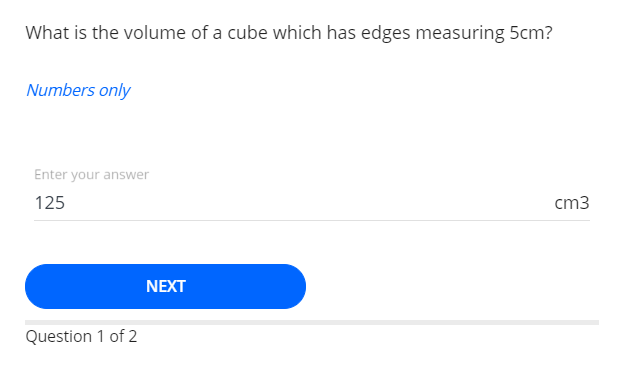
Short Answer questions require the learner to type their response. They are useful in scenarios such as:
- There is only one correct answer.
- There are multiple acceptable answers (the learner enters only one).
- You want to include a prefix or suffix around the answer (e.g., measurements, units).
Answer Options
You can configure how answers are evaluated:
- Case sensitive – The learner must match the answer exactly.
- Numerical – Accepts only number‑based answers.
Additional Design Features
- Add a question description to provide context or instructions.
- Insert a supporting image or video if needed.
Performance Tracking
Short Answer questions are tracked the same way as all other quiz question types. Progress can also be mapped to learning aim criteria for monitoring and reporting.
Terminology
Please note that the terminology used in this article may differ depending on your Centre.
Related Articles
Need Help?
If you need assistance or experience any issues, please contact Onefile Support or your internal support channels.