
Overview
You can customise the questions that appear on a Skills Scan within Onefile RPL. This allows you to tailor Skills Scans to the specific requirements of each Standard.
User Roles
This feature can be used by:
- Client Owner
- Tutor
How to Customise Skills Scan Questions
- Click Standards.
- Select the kebab menu (three dots) next to the Standard.
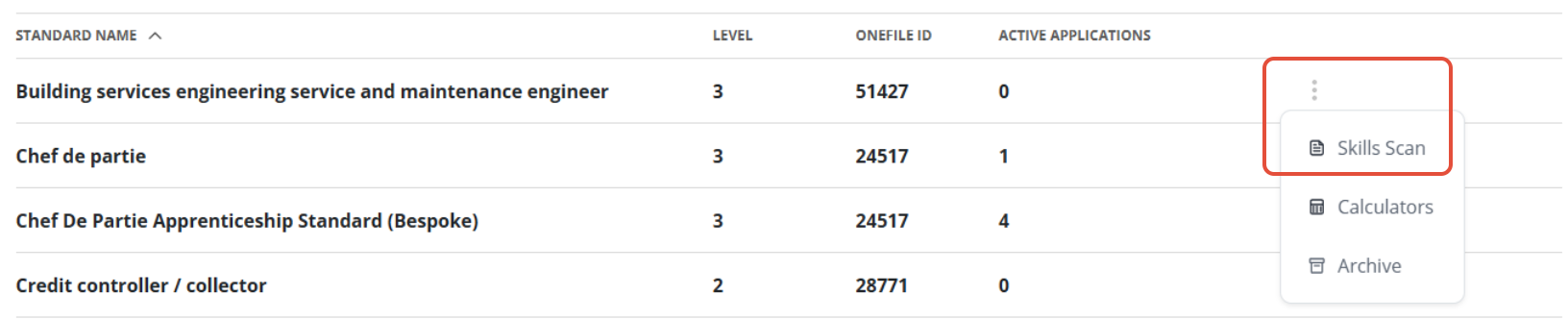
- Click Skills Scan.
- You can now edit the default questions, delete them, or create your own.
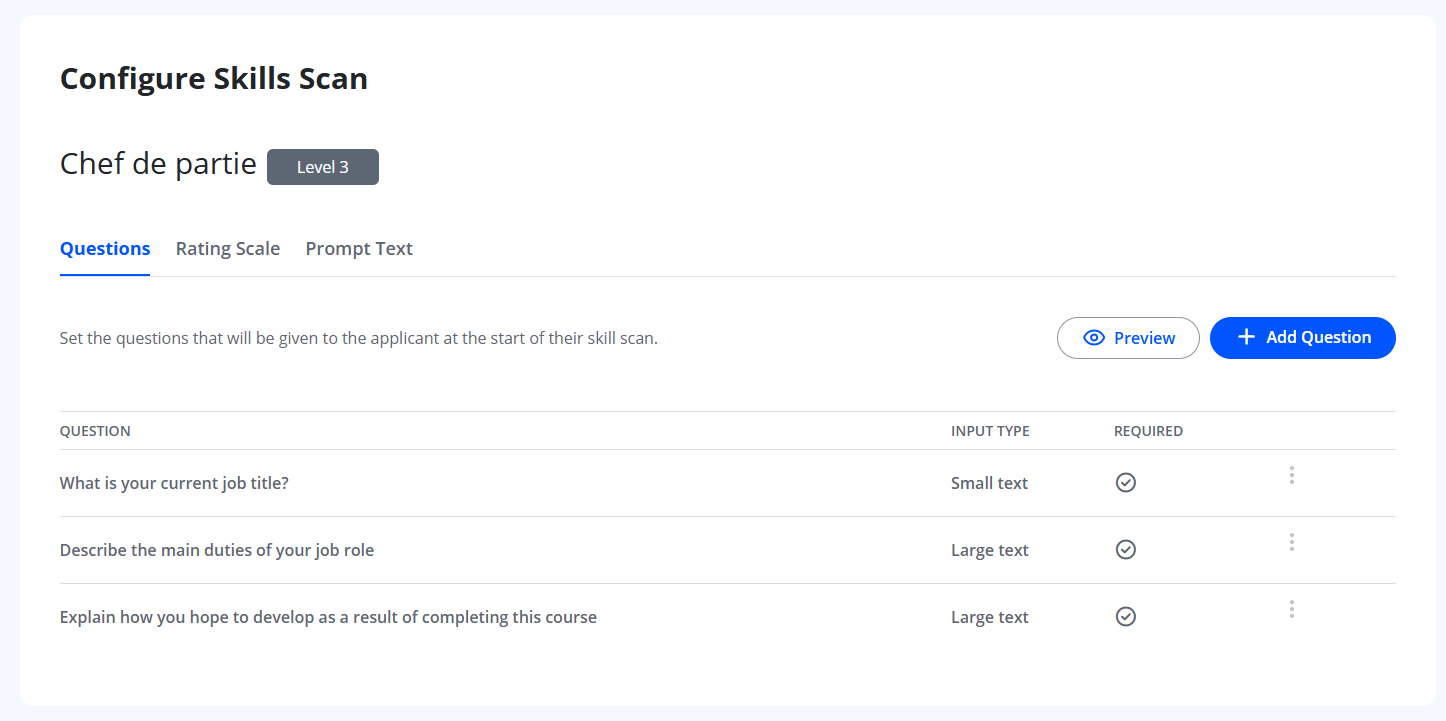
Add Questions
You can add new questions that will appear on the Skills Scan for the selected Standard.
- Click Add Question.
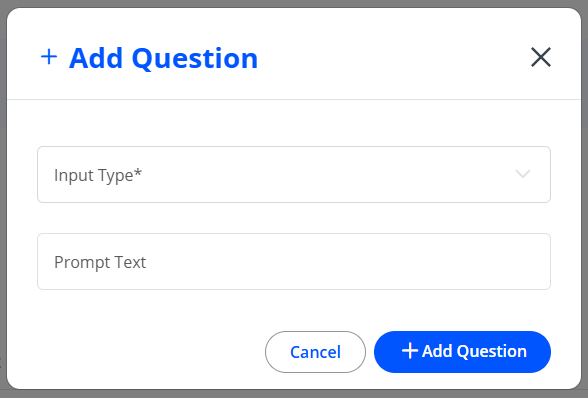
- Add the question text, any supporting information, and choose whether the question is mandatory.
- Click Continue.
- Select the Input Type and add prompt text if required.
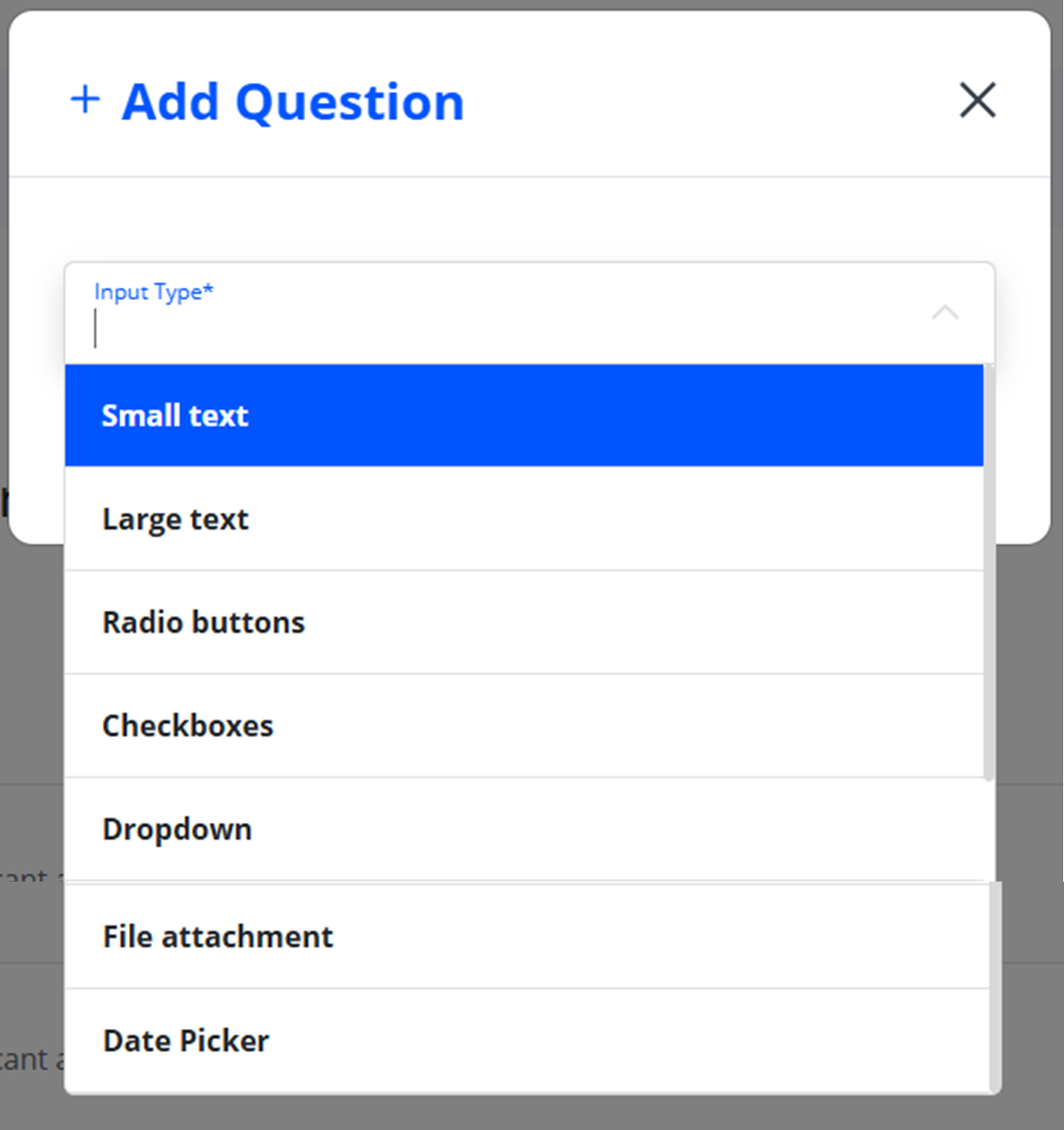
- Add radio button options if needed.
- Click Save.
You can also click Preview to see how the Skills Scan will appear to learners.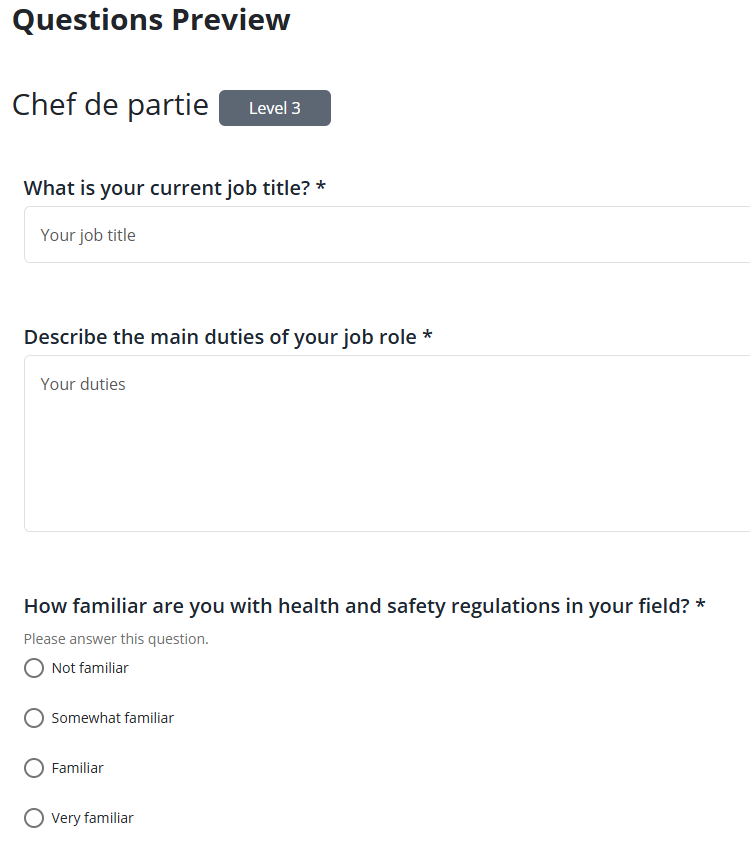
Editing and Deleting Questions
To edit or remove a question:
- Select the kebab menu next to the question.
- Click Edit to modify the question, or Delete to remove it.

Tips & Notes
- Custom questions are specific to each individual Standard.
- Deleted questions cannot be recovered—use Edit when making minor adjustments.
- Input types include text fields, radio buttons, numeric inputs, and more.
Terminology
The terminology used in this article may be different depending on your Centre’s configuration.
Related Articles
- Complete a Skills Assessment (RPL)
- Add an Applicant
- Viewing Skills Assessment Results
- RPL: Archiving Applicants
Need Help?
If you need assistance, please contact Onefile Support or your internal support team.