
Overview
When you review a learner's onboarding forms, you can flag individual details that are wrong instead of approving them. You mark each incorrect field, add a comment explaining what needs to change, and return the form to be updated. The comments tell the employer or learner exactly what to correct, and there's a clear record of what was reported.
User Roles
This feature can be used by:
- User
The form is returned to the employer or learner who completed it, so they can make the corrections.
Steps to Report Incorrect Details
- Go to Learners and open the learner's record, then open the Programme tab.
- Find the form marked Awaiting review and select Review.
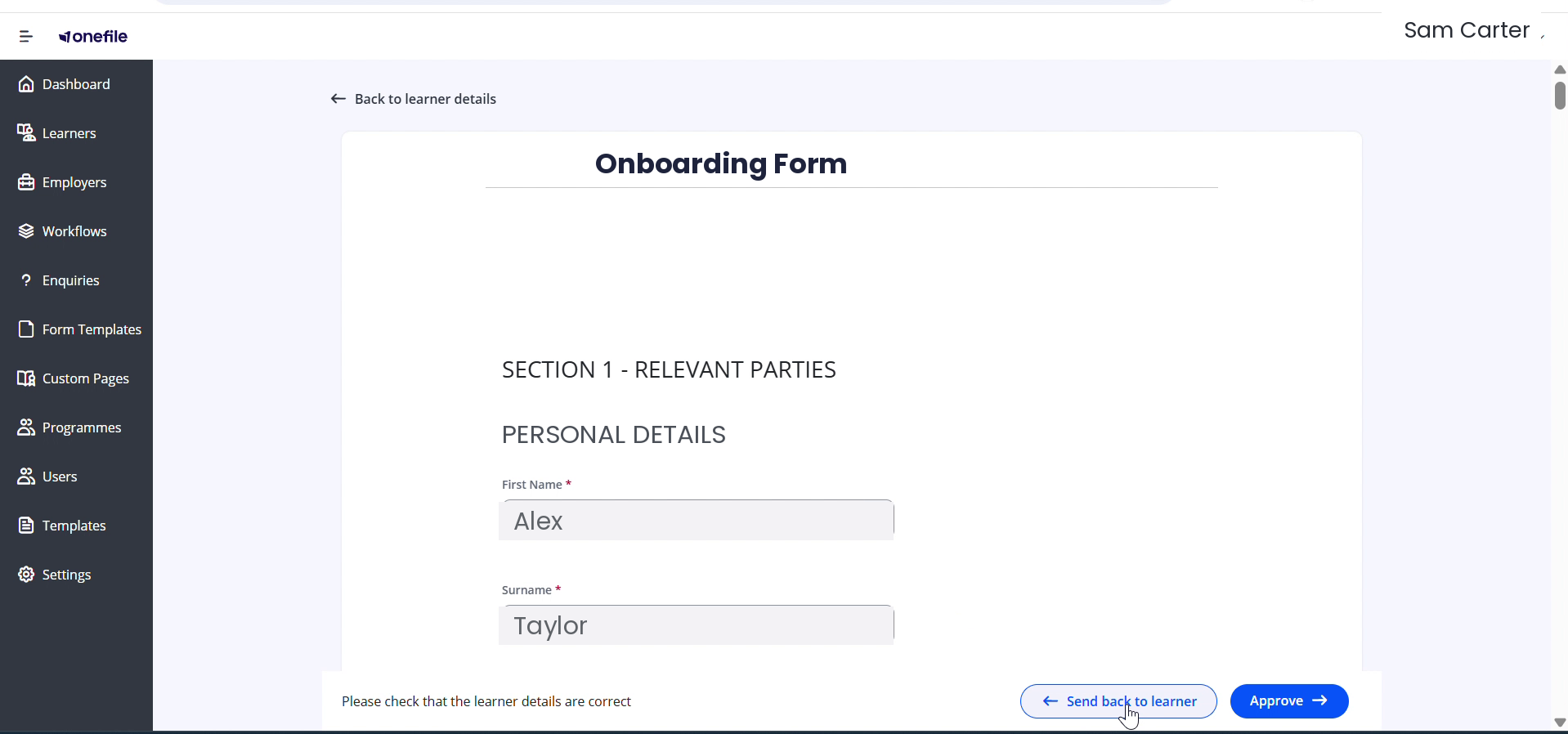
- Review the form. To return it for corrections, select Send back to learner.
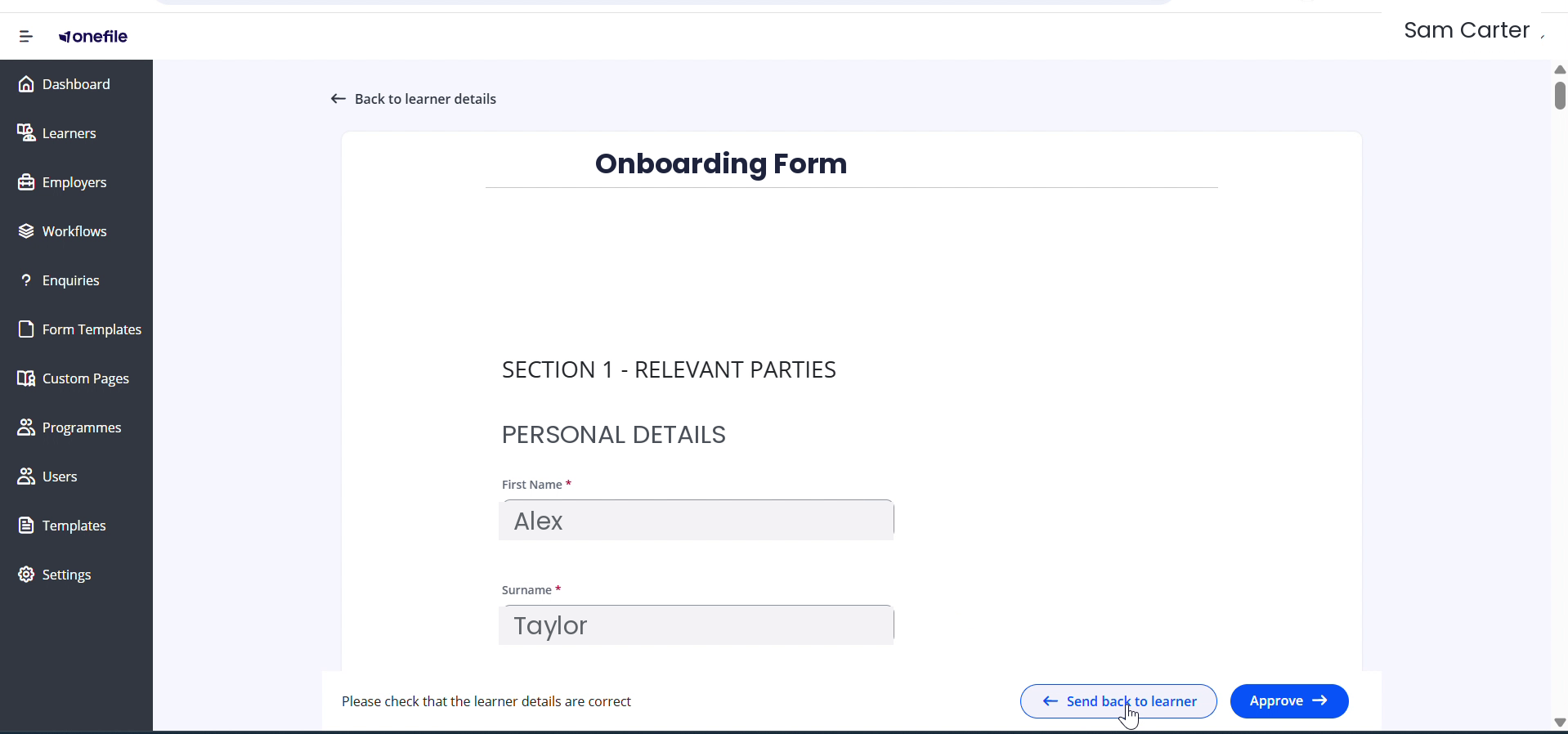
- In the Report Incorrect Details prompt, select Continue.
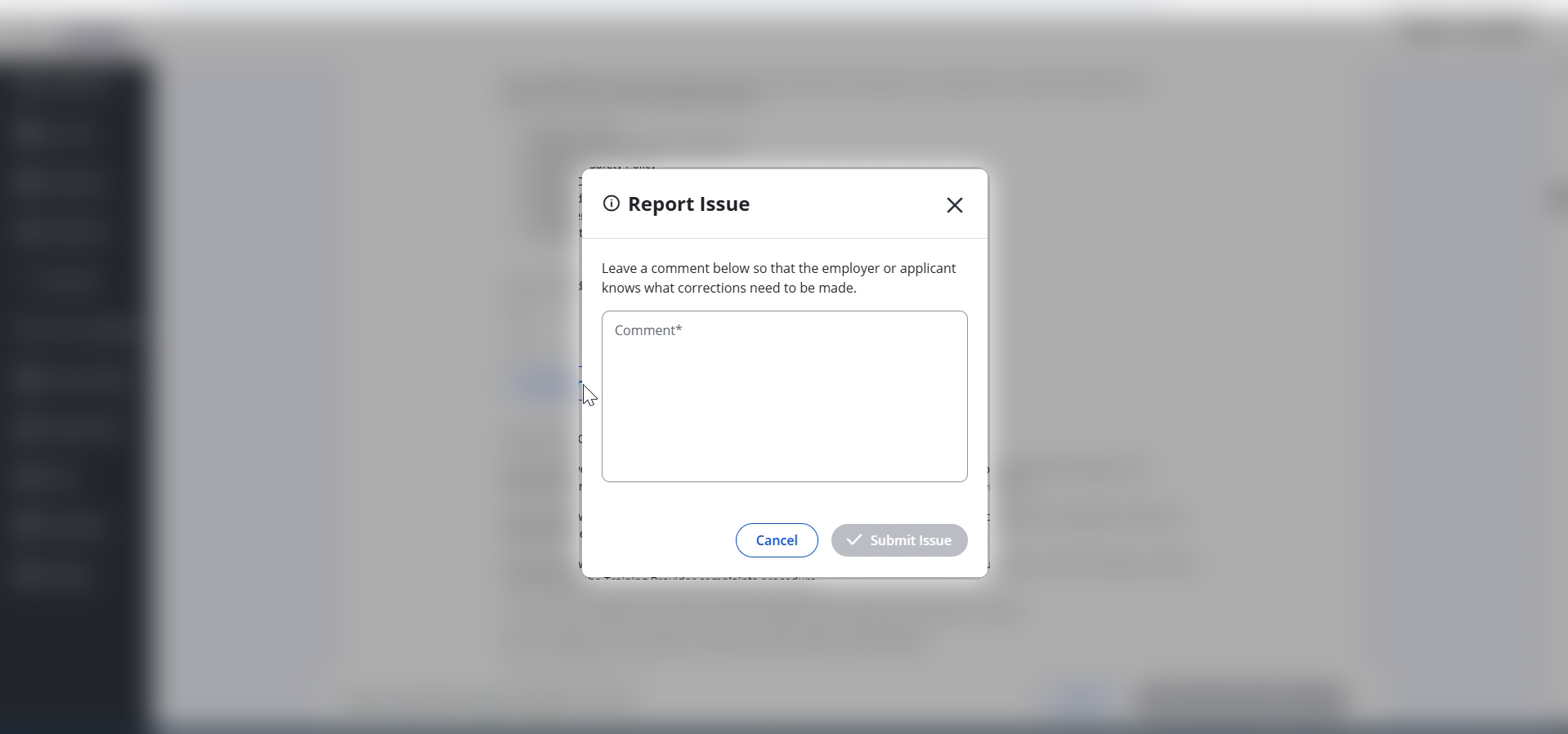
- Next to each detail that's wrong, select Report an issue, enter a comment describing the correction needed, and select Submit Issue.
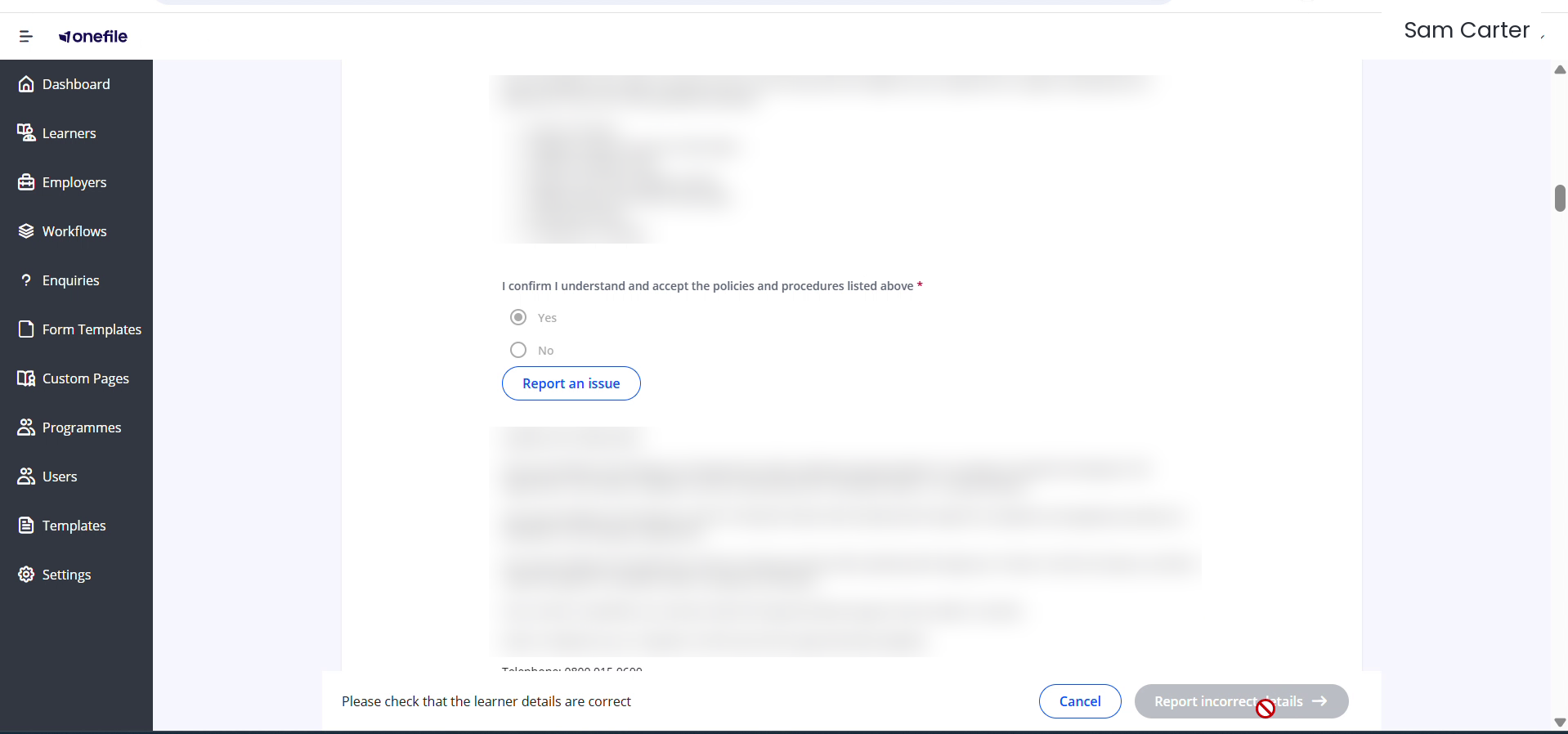
- When you've flagged every incorrect detail, select Report incorrect details to return the form to be updated.
⚠️ Important: A comment is required on each issue, and the Report incorrect details button stays unavailable until you've reported at least one issue.
Tips & Notes
- Your comment is what the employer or learner sees, so be specific about what's wrong and what it should say.
- You can flag more than one field before returning the form — report each one with its own comment.
- Reporting an issue returns the form to be corrected; it doesn't change the values for you.
- If the form is correct, select Approve instead of returning it.
Terminology
The terminology used in this article may differ depending on your Centre's configuration.
Related Articles
- How to Build a Form Template in Enrol Onboarding
- Edit a Learner within Enrol Onboarding
- View a Learner's Activity Log in Enrol Onboarding
Need Help?
If you need assistance, please contact Onefile Support or your internal support team.