
Overview
Eportfolio and RPL customers can now import custom rating scales from Onefile Eportfolio directly into RPL. This allows Centres to maintain consistency across scorecards and Skills Scans by using identical rating structures in both systems.
Important: Before enabling this integration, please contact your Onefile Account Manager and request activation.
User Roles
This feature can be used by:
- Centre Manager
Steps to Enable Custom Rating Scales
- Log into Eportfolio as a Centre Manager.
- Click Centre.
- Click Integrations.
- Click Go to integrations.
- Click to Enable integration.
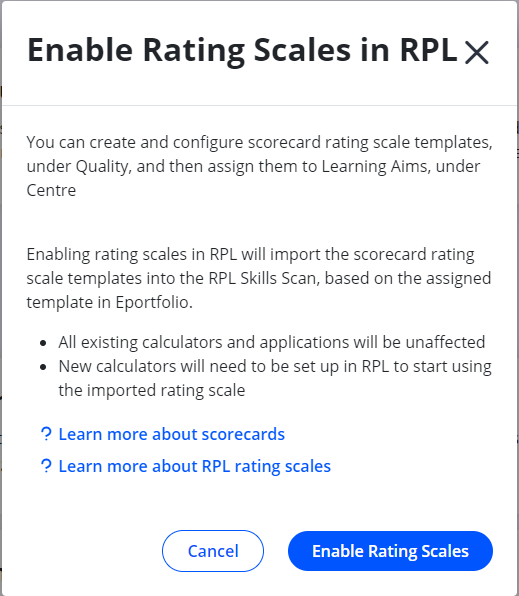
- Click Enable Rating Scales.
How It Works
Once enabled:
- Rating scale templates from the Eportfolio Scorecard will be imported into the RPL Skills Scan.
- The imported rating scale is determined by the assigned Scorecard template in Eportfolio.
Important Notes
- All existing calculators and applications will remain unchanged.
- New calculators will need to be set up in RPL to use the imported rating scale.
- The feature must be enabled before rating scales become available in RPL.
Terminology
The terminology used in this article may differ depending on your Centre’s configuration.
Related Articles
- Custom Skills Scans on OneFile RPL
- Setup Funding Calculator
- Creating New Versions of Funding Calculators
Need Help?
If you need assistance, please contact Onefile Support or your internal support team.