
✨New feature alert
This feature is available from Thursday 26th November 2026.
Overview
The Assessor Manager is a user role for staff who supervise assessors. An Assessor Manager can do everything an assessor can, and automatically sees every learner belonging to the assessors in their team. The role name follows your Centre's terminology, so it may appear as something else (for example, "Talent Coach Manager").
User Roles
This guide is for:
- Assessor Manager
How the Hierarchy Works
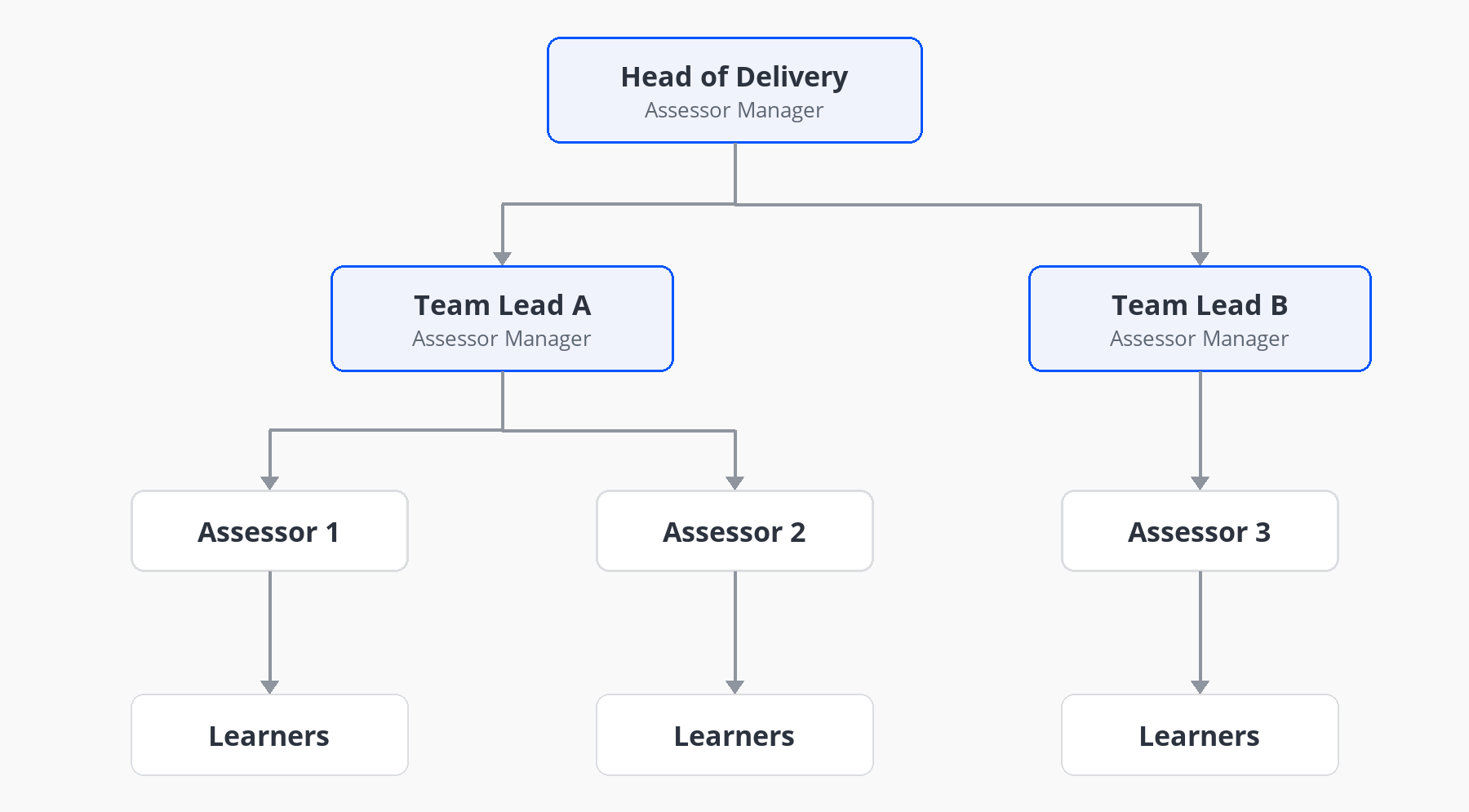
Access flows upwards — a manager inherits every assessor, and every learner, belonging to the managers below them.
- Assessors are allocated to Assessor Managers: each assessor has one Default Assessor Manager and any number of Additional Assessor Managers.
- Assessor Managers can sit above other Assessor Managers, up to five levels deep.
- Everything an Assessor Manager does applies only to the learners, assessors and managers inside their own hierarchy.
What an Assessor Manager Can Do
- Everything an assessor can, for inherited learners — assessments, assessment plans, reviews, notes, ILPs, unit sign-off, registers and sessions, Learning Journal and Scorecards; sign on behalf of learners where your Centre allows it; create learners; act as a Class Form Delegate.
- Manage assessors and their learners — view and manage learner allocations, change the assessor on an ILP, unlock IV-signed assessments (separate permission), and manage assessor accounts and permissions (with the Manage Assessor and Assessor Manager Accounts permission).
- Sign forms — be a signatory on Learner Template Forms and Assessor Observation Forms. The task goes to the assessor's Default Assessor Manager; managers higher up can also sign, and once any manager signs, the others' tasks complete.
- Run reports — all the standard assessor reports plus manager-level ones (such as Assessor Caseloads), always limited to the learners and assessors in their hierarchy.
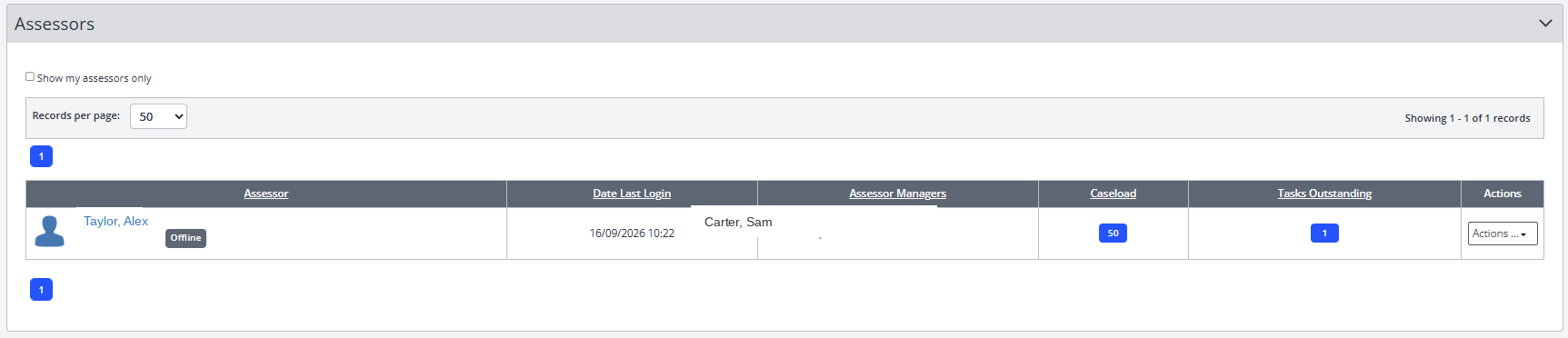
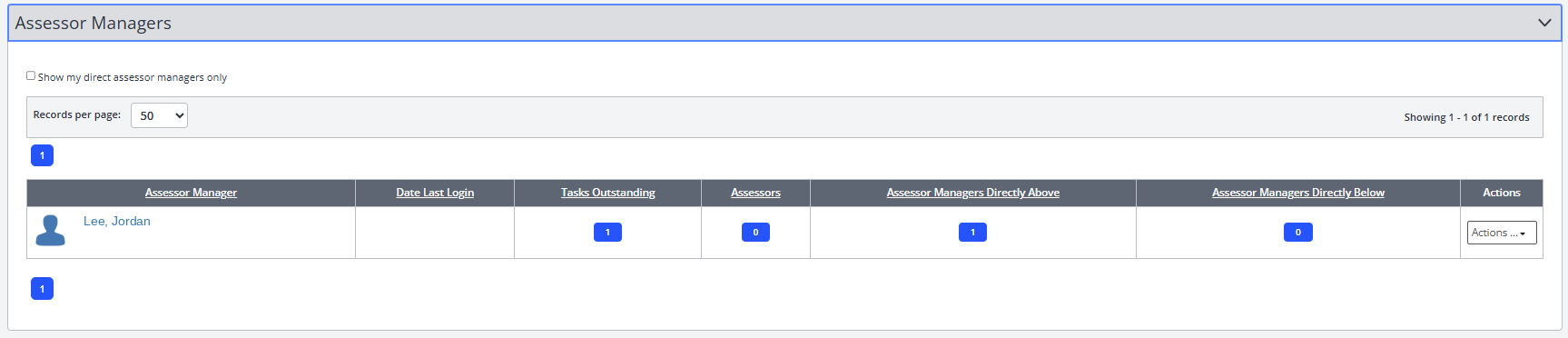
- See team grids and dashboards — an Assessors grid and Assessor Managers grid for their hierarchy, plus Tutor and Learner dashboards filtered to their inherited assessors and learners.
⚠️ Important: When an Assessor Manager creates an assessment plan, the tasks and next planned visits go to the learner's default assessor, not to the manager.
What an Assessor Manager Cannot Do
- See outside their hierarchy — learners, assessors and managers outside their tree aren't visible anywhere, including reports and direct links.
- Have learners assigned directly — access comes only through the assessors they manage.
- Change the hierarchy — allocating assessors and managers is done by Centre Managers and User Managers.
- Manage accounts without permission — Account, Edit Profile and Email Preferences stay hidden unless the Manage Assessor and Assessor Manager Accounts permission is granted.
Assessor Managers are not visible to learners — they don't appear in the learner's Assessment Team panel, message recipient list, or when a learner invites an assessor.
Permissions
The role has its own permission set. Every permission available to assessors is available to Assessor Managers, plus two of its own:
- Manage Assessor and Assessor Manager Accounts (default: deny)
- Unlock assessments signed by an IV
Terminology
The terminology used in this article may differ depending on your Centre's configuration — the role may be named differently in your Centre.
Related Articles
Need Help?
If you need assistance, please contact Onefile Support or your internal support team.