
✨ Updated feature alert
This feature update is available from Thursday, 5th November 2026.
Overview
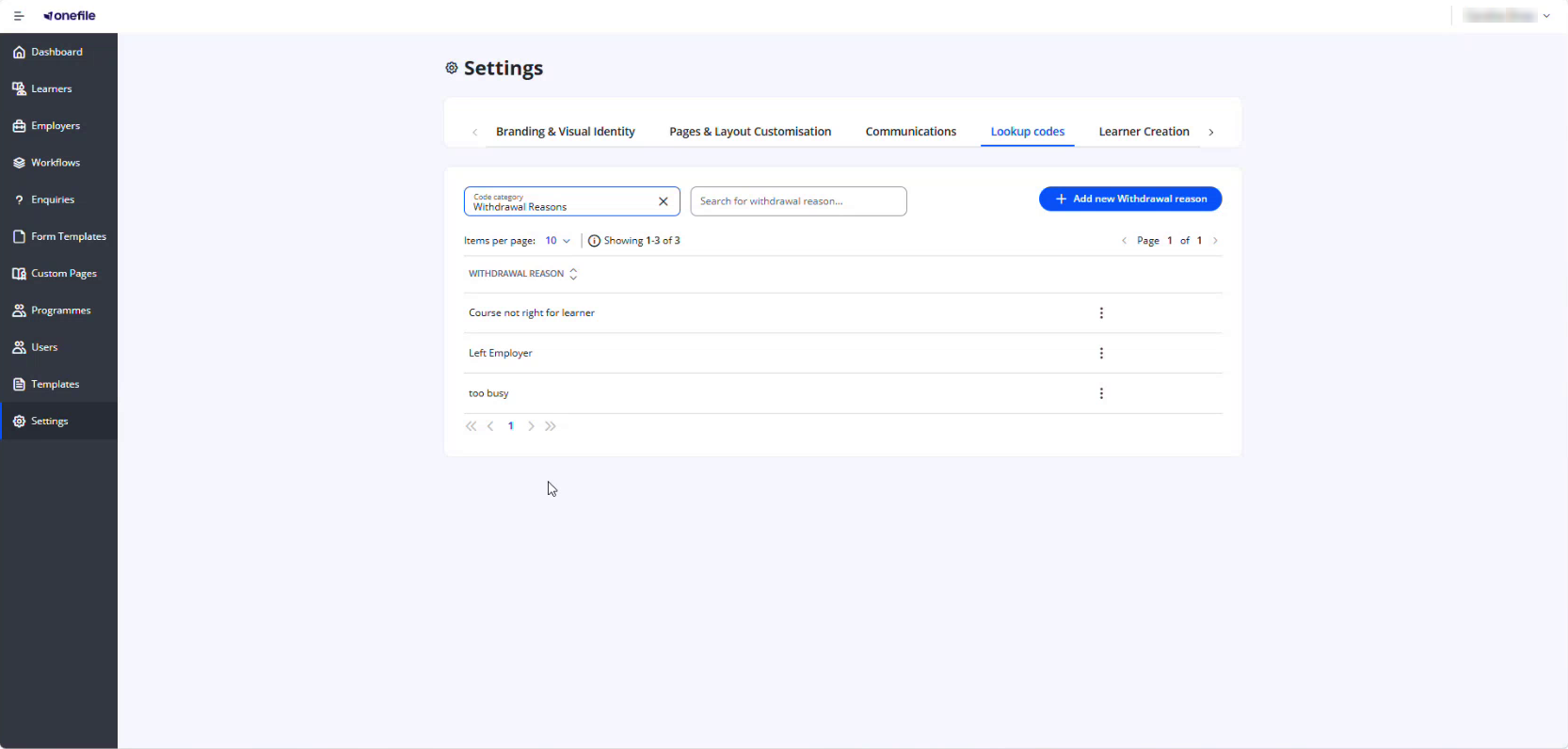
Custom withdrawal reasons can be created and used when withdrawing learners during the Enrol Onboarding process. This helps Centres standardise withdrawal tracking and improve reporting accuracy.
What's Changed?
- The withdrawal reason and description now appear on the withdrawal entry in the learner's Activity Log.
- The overnight data export now includes the withdrawal reason, the description, and the status the learner was in when withdrawn.
User Roles
This feature can be used by:
- Admin
Steps to Create a Withdrawal Reason
- Click Settings in the navigation menu.
- Open the Lookup codes tab.
- In Code category, select Withdrawal Reasons.
- Click Add new Withdrawal reason.
- Enter a Withdrawal Reason name.
- Click Create.
Withdrawal Details in the Overnight Data Export
| Field | Description |
|---|---|
| Withdrawal reason | The reason selected when the learner was withdrawn |
| Withdrawal description | Any description added when the learner was withdrawn |
| Status when withdrawn | The status the learner was in at the point of withdrawal |
Tips & Notes
- Use clear and consistent wording for withdrawal reasons to improve reporting.
- Custom withdrawal reasons can be reused across multiple learners.
- Review your existing withdrawal reasons periodically to remove duplicates or outdated entries.
Terminology
The terminology used in this article may differ depending on your Centre's configuration.
Related Articles
- Withdraw a learner on Enrol Onboarding
- View a Learner's Activity Log in Enrol Onboarding
- Enrol Onboarding report
Need Help?
If you need assistance, please contact Onefile Support or your internal support team.