
Overview
Delivery Plan Look‑up Tables allow Centres to customise key aspects of Delivery Plan templates, including Categories, Delivery Leads, Funding Sources, and Delivery Methods. These Look‑up values help structure Delivery Plan components and ensure consistency across learners in Onefile Eportfolio.
Who Can Use This Feature?
This feature can be used by the following user role:
- Centre Manager
Steps
How to Create Delivery Plan Look‑up Table Values
- Click Centre on the left‑hand navigation bar.
- Click Look‑up Tables.
- Select Delivery Plans.
- Choose the type of value you want to create:
- Categories
- Delivery Leads
- Funding Sources
- Delivery Methods
- Click Create.
- Add a Name for the Look‑up value.
- Click Create to save.
When creating Delivery Plan Categories, you can also choose which fields should be visible for components within that category.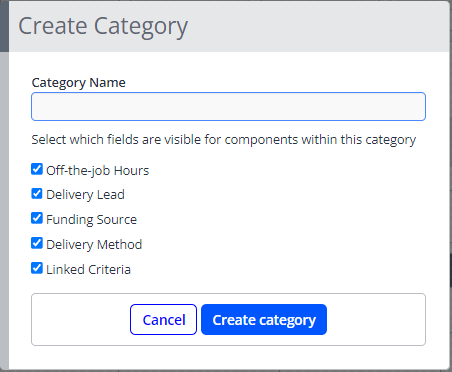
Tips & Notes
- Look‑up values apply instantly across Delivery Plan templates once saved.
- Categories determine which component fields appear during plan creation.
- Only Centre Managers can add, edit or archive Delivery Plan Look‑up values.
Terminology
Please note that the terminology used in this article may differ depending on your Centre.
Related Articles
Need Help?
If you encounter any issues or have questions, please contact Onefile Support or your internal support channels.